
How Can I Track My Order?
Last updated December 18, 2025
To track your order, visit our login page and enter the email address associated with your order. Click “Get code by email”, then enter the 6-digit code sent to your inbox to access your account.
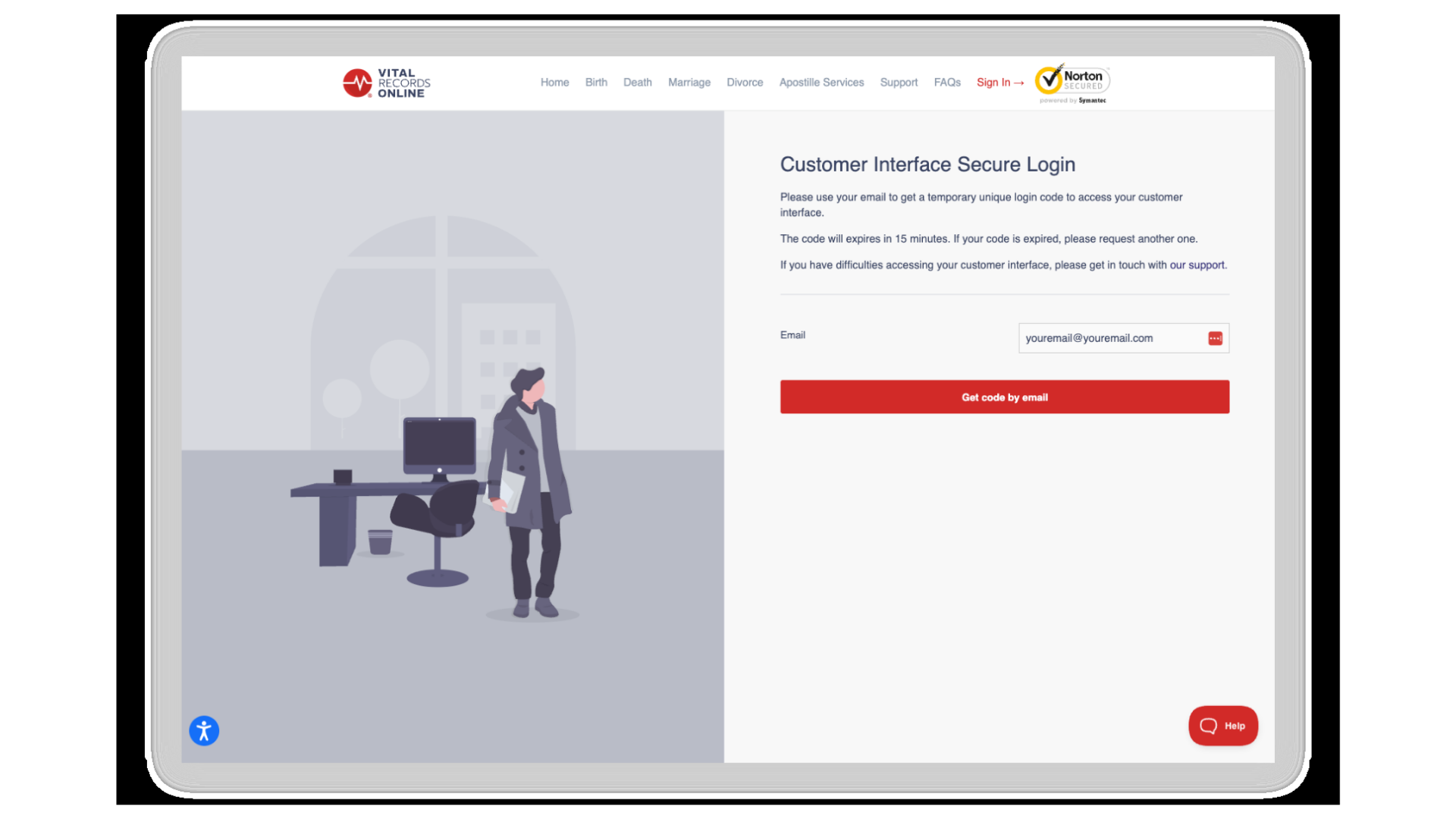
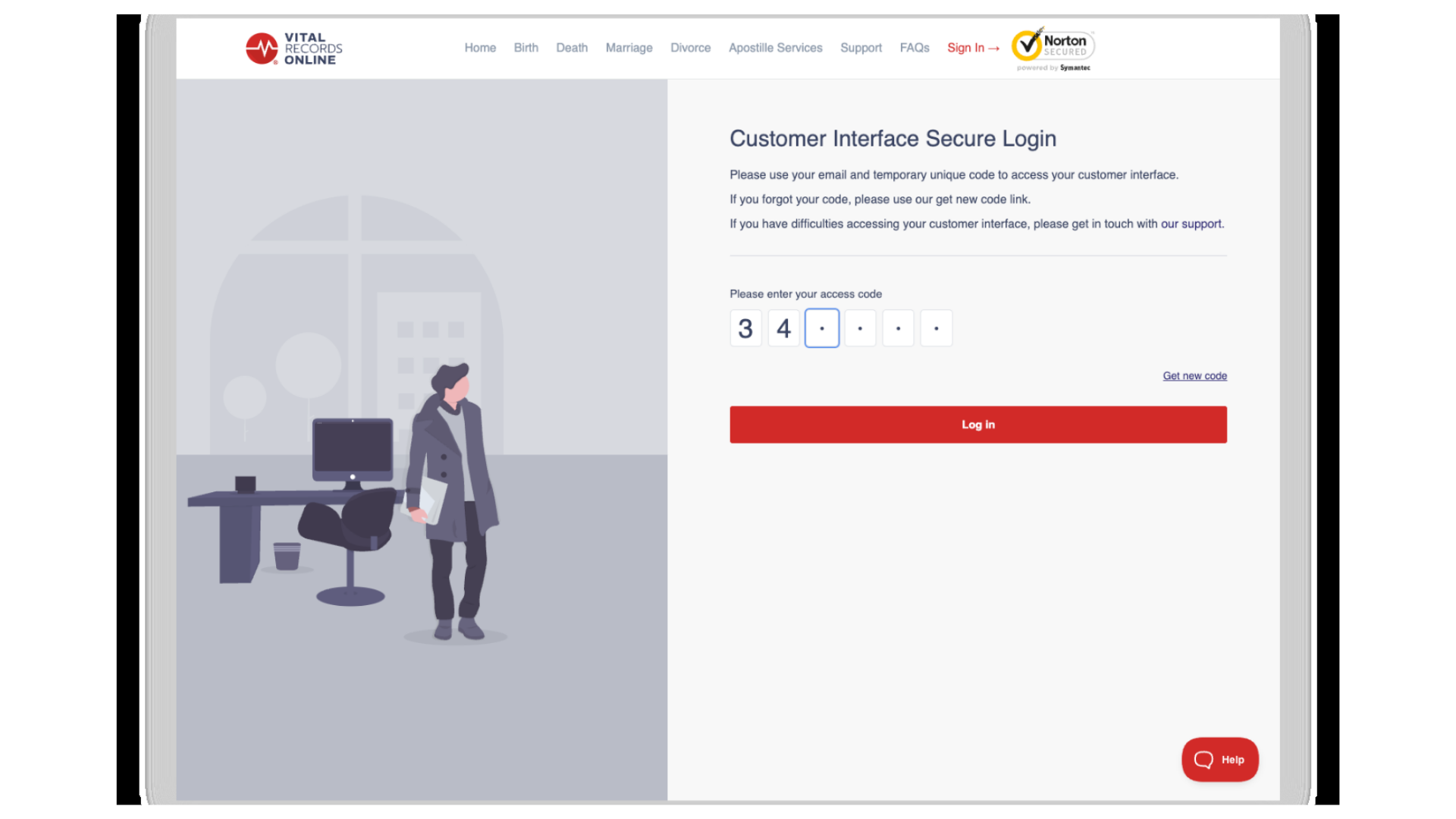
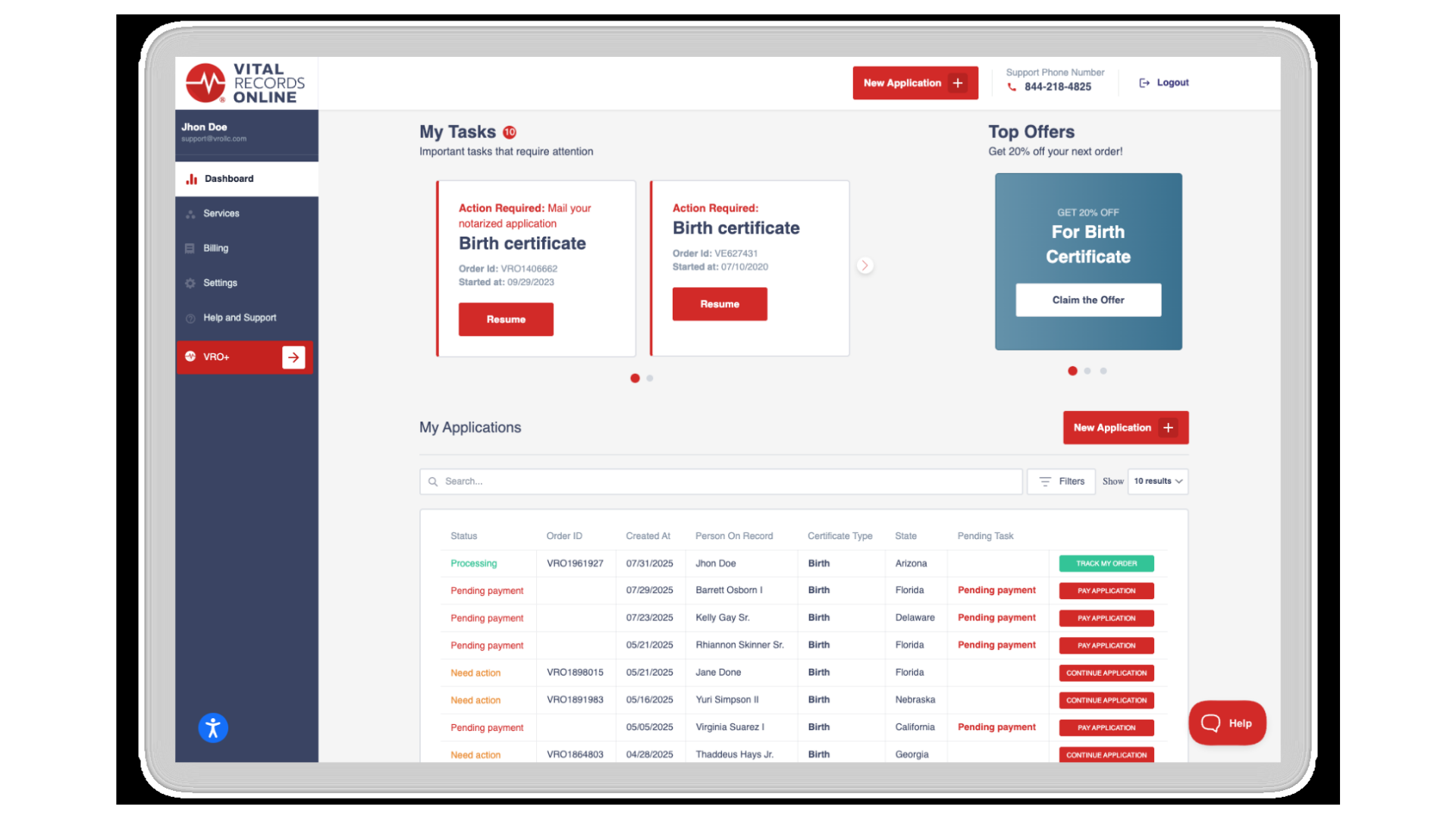
Once logged in, click “Dashboard” in the sidebar. You will see all your orders listed under “My Applications.” If your order has been successfully submitted, you’ll see a “Track My Order” button on the right. Click it to view the current status of your application and estimated processing time for your certificate.
If you have any questions or need assistance, our customer support team is here to help. You can contact us here.
Still have questions?
Reach our team and we will get back to you with the details you need.