Georgia’s Digital Driver’s License: What It Is, Where You Can Use It
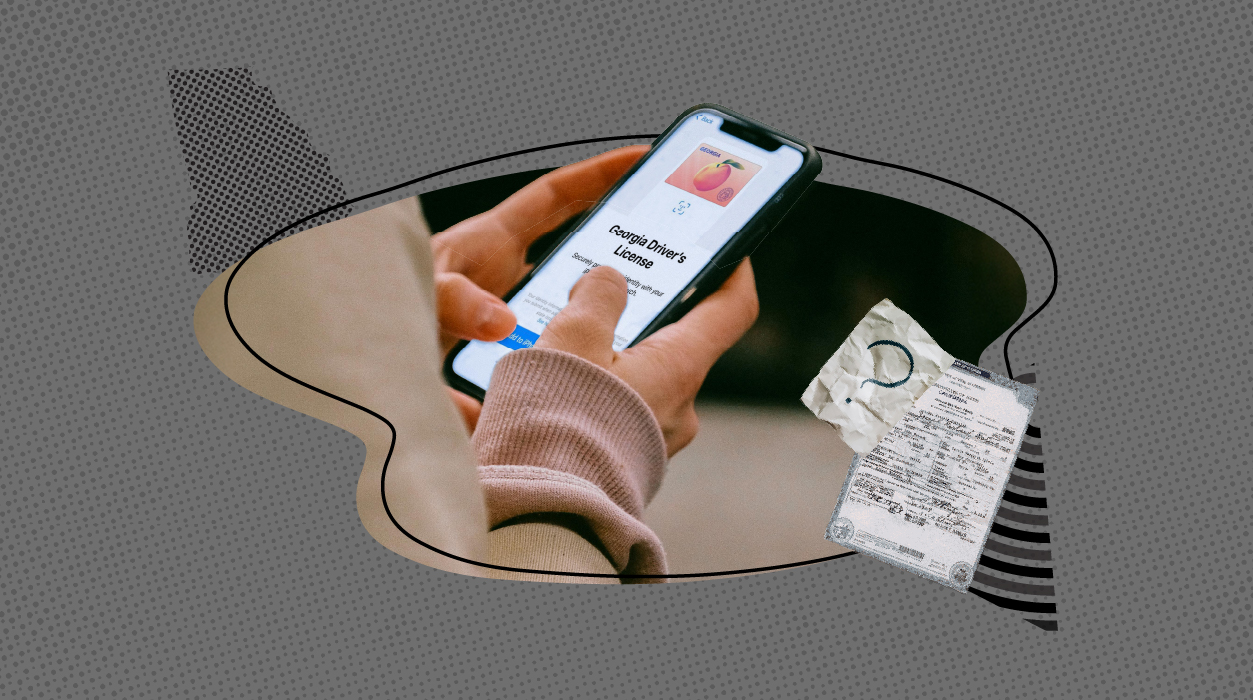
To modernize how residents carry and present their identification, Georgia introduced its Digital Driver’s License (mDL) in May 2023. This digital version of your physical driver’s license or state ID can be added to your smartphone or smartwatch using Apple Wallet, Google Wallet, or Samsung Wallet—and it’s free to use.
This is a big step toward making ID use more secure and convenient. But while the technology is exciting, it’s important to understand how it works, where it’s currently accepted, and why your physical ID is still necessary in many situations.
What Is Georgia’s Digital Driver’s License?
The Georgia digital license and ID cards are a secure version of your existing Georgia driver’s license or ID that’s stored on your mobile device. Setting it up is straightforward:
- Scan the front and back of your physical license.
- Take a photo of yourself to verify your identity.
- Get approved, which typically takes a few hours, though it may take up to two days.
Once verified, the license appears in your phone’s wallet app. It’s protected by your device’s security features—such as facial recognition, fingerprint unlock, or a passcode. You also have control over what information is shared when you present your digital ID, which helps protect your privacy.
Where Can You Use It?
Currently, the digital license has limited acceptance. The main place where it’s currently recognized is at TSA security checkpoints in airports, including Hartsfield-Jackson Atlanta International Airport and other select locations across the U.S.
It’s important to note that this is only accepted at TSA checkpoints equipped with digital ID readers. It’s not yet usable in TSA PreCheck lanes, and most other federal or state agencies aren’t set up to use it either.
When You Still Need a Physical License
While the digital license is a helpful option, it’s not yet a replacement for your physical ID. Here are key situations where you still need the physical version:
- Traffic stops: Georgia law still requires drivers to present their physical license when stopped by law enforcement.
- Ordering official records: To request documents such as birth, marriage, or death certificates, Georgia agencies require a physical ID—either presented in person or uploaded as a copy for online orders through service providers like Vital Records Online (VRO).
- Government offices and private businesses: Most local and state offices, financial institutions, and private establishments still do not accept the digital version as valid identification.
In short, your digital license can make things more convenient, but it won’t get you through every door.
Why Use It?
Even though the digital license isn’t universally accepted, it still offers some substantial benefits:
- Added security: Because it’s stored on your phone and protected by biometrics, it’s much harder to steal or fake than a physical card.
- Privacy control: You can choose to share only the necessary information, such as your name or age, without revealing more sensitive details like your home address.
- Convenience for travel: If you’re flying out of an airport with TSA digital ID support, your phone might be all you need to get through security.
What’s Changing Soon?
Georgia lawmakers are considering expanding the use of digital licenses. In March 2025, the state House passed House Bill 296, which—if signed into law—would require law enforcement officers to accept digital licenses during traffic stops.
This would be a significant step forward. In the future, you may be legally able to use your phone instead of a plastic card when driving. However, this change depends on final approval and technological updates in police departments.
In addition, Georgia is gradually introducing digital ID readers in more government offices, making it easier for these systems to recognize and verify mobile credentials.
How to Add Your Digital License
If you’re ready to try Georgia’s digital license, here’s how to get started, depending on your device:
For iPhone Users:
- Open the Apple Wallet app.
- Tap the Add (+) button.
- Select Driver License or State ID, then choose Georgia.
- Follow the steps to scan your license and take a photo of yourself.
For more information about adding your driver’s license or state-issued ID card, visit Apple Wallet support. After your request has been approved, you will see your Georgia ID in the Apple Wallet app.
For Android Users:
- Open or download Google Wallet from the Play Store.
- Tap Add to Wallet, then choose ID Card and select Georgia.
- Follow the prompts to scan and verify your information.
After your request has been approved, you will see your Georgia Digital Driver’s License and ID in the Google Wallet app.
For Samsung Users:
- Open Samsung Wallet.
- Choose the option to add a Digital ID.
- Complete the scan and verification process.
Approval usually happens the same day. Once it’s complete, your ID will appear in your wallet app, ready to use where accepted.
Summary: What You Can and Can’t Do
What You Can Do Now:
- Use your digital ID at TSA airport checkpoints that are supported.
- Carry it securely on your phone or watch.
- Select the personal data you want to share when presenting your ID.
What You Can’t Do Yet:
- Use it in traffic stops or with law enforcement (unless new laws are passed).
- Request vital records without uploading or presenting a physical ID.
- Use it at most banks, government offices, or private businesses.
Georgia’s digital driver’s license is an exciting step toward modern, more secure identification. While it’s not a complete replacement for your traditional license just yet, it offers new convenience—especially for travelers—and hints at a future where physical ID cards might not be necessary at all. For now, consider it a promising addition, not a substitute.